The 7 best to-do list apps in 2026: Tested & compared (vs Todoist & TickTick)
Why you should trust us
I’ve been a dedicated list-maker for well over a decade. My early “system” was a charming museum exhibit: sticky notes on the desk, grocery lists on receipts, and one heroic notebook that never showed up when I needed it.
The problem wasn’t motivation. It was scatter. Tasks lived in too many places, and the moment life got noisy, the important stuff slid right through the cracks.
Since switching to a real to-do app workflow, my desk is calmer and my brain feels less like a browser with 47 tabs playing music.
For this guide:
- I spent around 25+ hours researching and comparing modern to-do list apps and planning systems.
- I tested a mix of free and paid options in real life (work tasks, home tasks, and the “don’t forget to reply” kind).
- I read app store reviews and community discussions to catch the issues you only notice after week two.
- I reviewed research and guidance around stress, planning, and follow-through, including sources from the American Psychological Association (APA) and ADHD-focused clinical work.
- I’m not writing this because someone handed me a script. No sponsored placements, no “best app” awards for sale.
There are roughly 9,000 to-do list apps. That’s not a scientific number. It’s just how it feels when you search any app store.
I tested a pile of them anyway. Not because I enjoy reinstalling the same “minimalist productivity” app fourteen times, but because task management is weirdly personal. One person wants a single checkbox. Another wants a color-coded dashboard, three calendars, and a button that whispers “you’ve got this” (respect).
If you’re trying to figure out what’s actually worth using, this guide is meant to help. I’ll walk through the best picks for different styles—and I’m also adding CanGoal into the mix, since it’s built around a simple idea: goals are great, but they need to turn into today’s actions.
Want more platform-specific options? Here are picks for the best to-do list apps for Android, iPhone, Windows, and Mac.
The best to-do list apps
- TickTick for built-in calendars and focus timers
- CanGoal for turning goals into daily tasks
- Microsoft To Do for Microsoft ecosystem fans
- Google Tasks for Google-first workflows
- Any.do for people who need a daily nudge
- Todoist for balancing power and simplicity
- Things for elegant design (Apple-only)
- Other options, including project management and note apps that can do the job
What makes the best to-do list app?
How we evaluate and test apps
We write these roundups like real humans who actually use the tools. That means spending time living inside the apps—capturing tasks, organizing lists, ignoring reminders (briefly), and seeing what still feels good a week later.
For a more detailed breakdown of the process, here’s a full rundown of how apps get selected for review.
For this category, I focused on apps that make it easy to:
- Capture tasks fast (before your brain tab closes)
- Organize tasks in a way that doesn’t feel like homework
- Get reminders that help, not nag
- Work across devices, so your list isn’t trapped on one screen
No app makes this list just because it has “AI” stamped on the box. Some AI features are helpful. Many are… decorative. The core still matters: you should be able to add a task quickly, find it later, and finish it without wrestling the interface.
What is a to-do list app for?
To-do lists help you keep track of what matters, even when life is loud. A good digital list is like an external brain: it holds the details so you can focus on the work (or the nap, no judgment).
What makes a good to-do list app?
The best to-do list apps:
- Make it fast to add and organize tasks. If it’s slow, you’ll “remember later.” You won’t.
- Offer multiple ways to sort your work. Lists, tags, priorities, due dates—different brains need different hooks.
- Help you hit deadlines you set for yourself. Notifications, widgets, and calendar views all count.
- Feel pleasant to use. You’re going to open this app a lot. A messy UI is like crumbs in your bed.
- Sync across the devices you actually use. Phone, desktop, web—whatever your day requires.
The best to-do list apps at a glance
| App | Best for | Standout feature | Pricing |
|---|---|---|---|
| TickTick | Built-in calendars and focus timers | Pomodoro + task calendar | Free plan available; optional paid plans |
| CanGoal | Turning goals into daily tasks | Goals + tasks in one workflow | Free plan available; optional premium subscription |
| Microsoft To Do | Microsoft ecosystem fans | Strong Outlook-style workflow | Free |
| Google Tasks | Google-first workflows | Lives inside Gmail and Calendar | Free |
| Any.do | People who need a daily nudge | “Plan my Day” routine | Free plan available; optional paid plans |
| Todoist | Balancing power and simplicity | Natural-language task entry | Free plan available; optional paid plans |
| Things | Elegant design | Simple, polished planning | Paid (separate purchases per Apple device) |
A quick “pick one and move on” guide
If you’re the kind of person who can spend three days researching an app… to avoid doing the tasks inside the app… this section is for you.
- If you love planning by time (or need a timer to begin), try TickTick.
- If you’re trying to connect big goals to daily actions, start with CanGoal.
- If your work life is Microsoft-shaped, Microsoft To Do will feel familiar fast.
- If you live in Gmail and Calendar, Google Tasks is right there.
- If you forget your list exists, Any.do is designed to keep tapping your shoulder (politely).
- If you want a well-rounded classic with a strong ecosystem, Todoist is a safe bet.
- If you want a calm, beautiful planning space and you’re Apple-only, Things is the aesthetic pick.
Best to-do list app with built-in calendars and focus timers
TickTick (Web, Android, Windows, Mac, iPhone and iPad)
TickTick pros:
- Broad feature set without feeling totally overwhelming
- Includes a Pomodoro-style focus timer
TickTick cons:
- Some parts can feel less polished than the top “design-first” apps
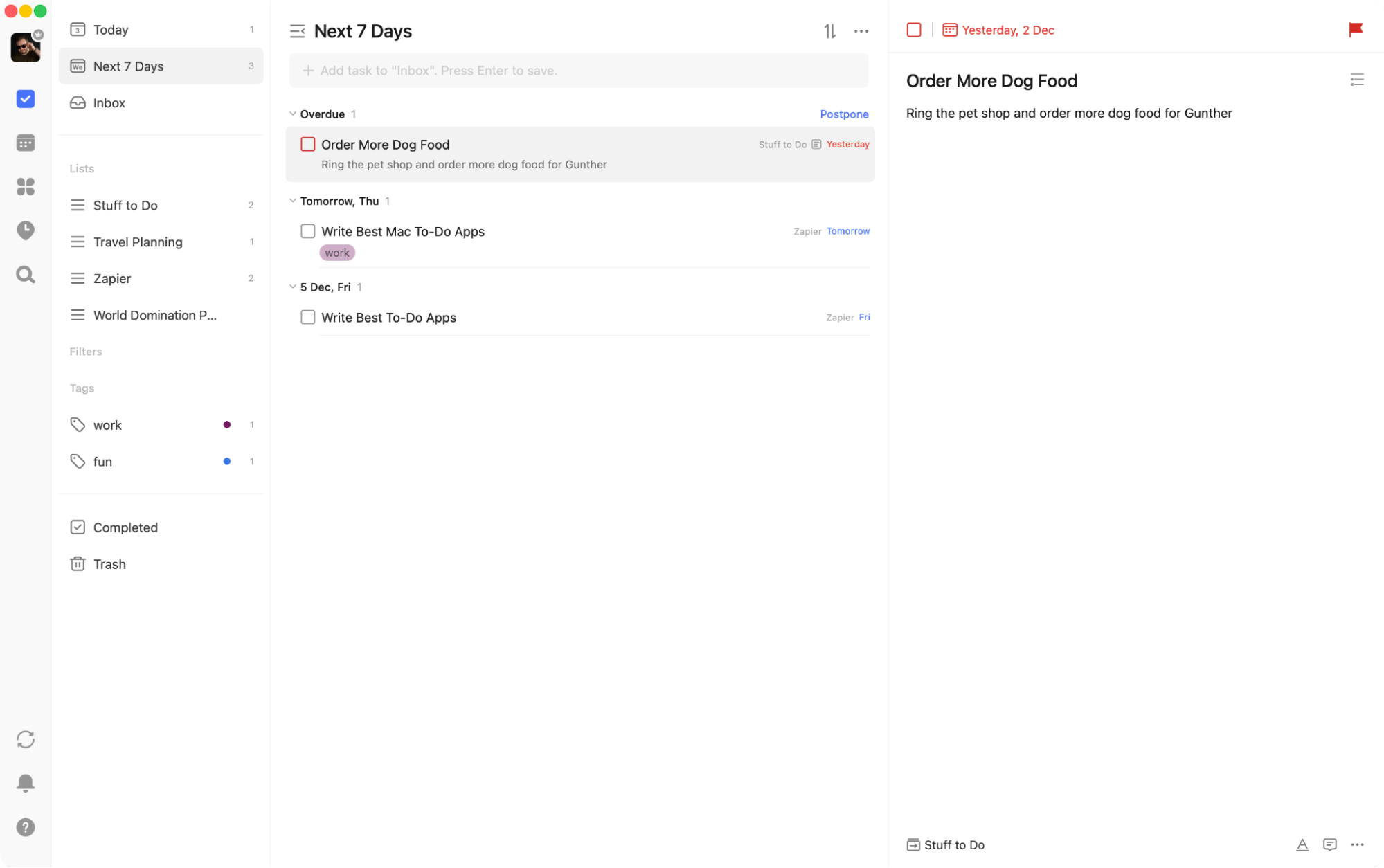
TickTick is for the person who likes a little more structure: tasks, lists, priorities, and a calendar view that helps you see the week as a real thing (not a blur).
Its built-in focus tools are the main draw. When you’re staring at a task you’ve been avoiding, starting a timer is oddly effective—like tricking your brain into beginning.
TickTick also leans into planning as a system. It pairs naturally with a Pomodoro timer style of working, and the calendar approach makes it easier to do gentle time blocking without turning your life into a military operation.
If you’re the type who likes streaks and routines, it’s also worth exploring habit-style workflows. A dedicated habit-tracking tool can still be useful, but TickTick’s built-in options are a nice “one less app” moment.
And if you want it connected to the rest of your setup, there’s TickTick’s Zapier integration plus a guide on how to automate TickTick.
TickTick price: Free plan available; optional paid plans.
Best to-do list app for turning goals into daily tasks
CanGoal (Web, Android, iPhone, iPad, desktop apps)
CanGoal pros:
- Built around goals and daily tasks (not just endless lists)
- Works across platforms, including the web
CanGoal cons:
- If you only want a bare checklist, it may feel like “more app” than you need
Some to-do apps are great at collecting tasks… and then quietly letting them pile up like laundry you swear you’ll fold.
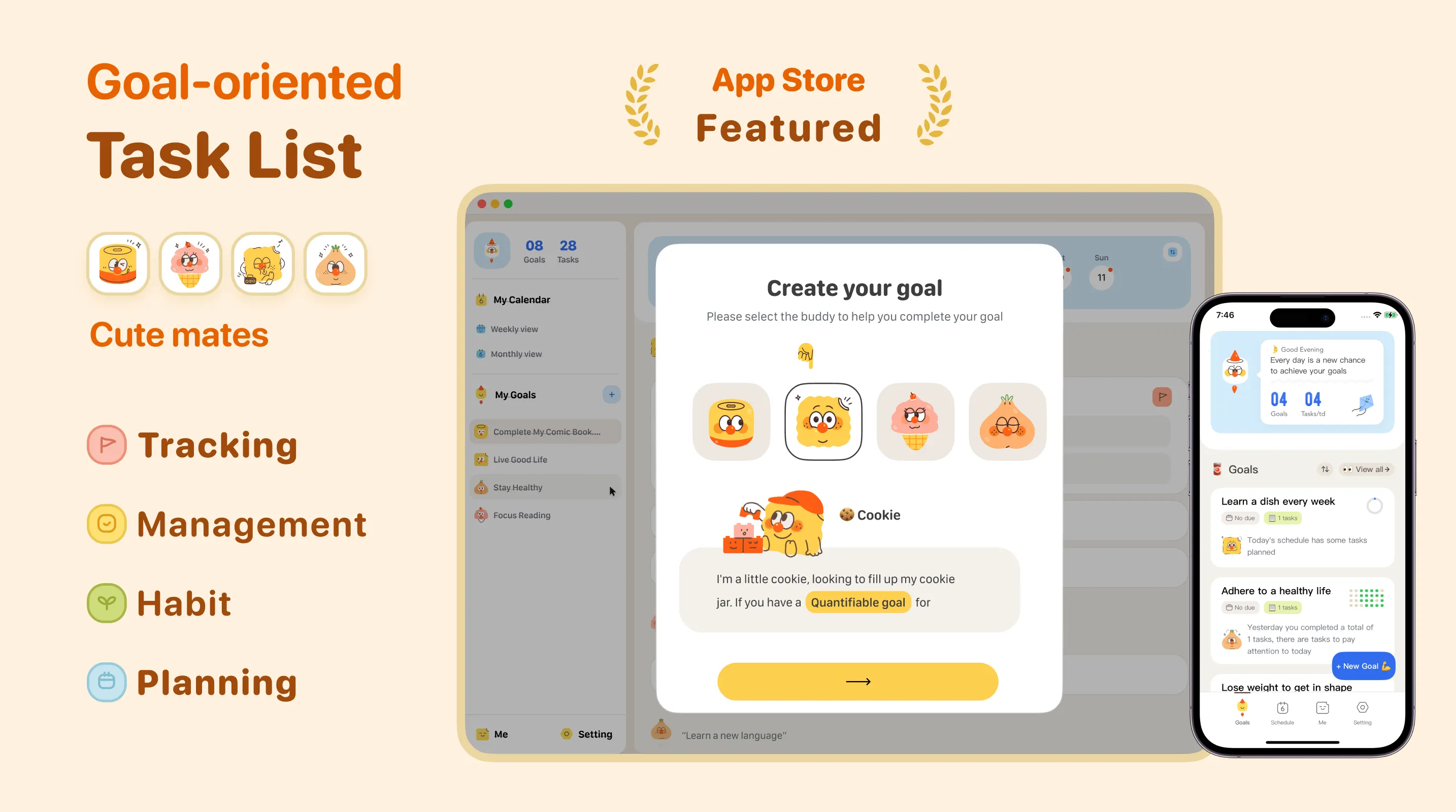
CanGoal takes a different angle: start from goals, then break them into tasks you can actually do today. That sounds simple, but it changes how you plan. Instead of juggling ten lists and a vague sense of guilt, you get a clearer path from “I want to get healthier” to “walk 20 minutes after lunch.”
The best part is the mental shift. When your tasks live under goals, it’s easier to say no to random “busy work” tasks that don’t move anything forward. It’s not motivational poster energy. It’s just a cleaner structure.
It’s also friendly for people who bounce between devices. You can capture tasks on your phone, review them on the web, and keep things moving without doing the “where did I write that?” dance.
If you’ve ever written “work on my goals” as a to-do item and then stared into the void, CanGoal’s approach feels like a gentle (but firm) nudge toward reality: what’s the next tiny step?
CanGoal price: Free plan available; optional premium subscription.
Best to-do list app for Microsoft ecosystem fans
Microsoft To Do (Web, Android, Windows, Mac, iPhone and iPad)
Microsoft To Do pros:
- Clean, friendly design across platforms
- Fits naturally into Microsoft-style workflows
Microsoft To Do cons:
- Power features vary depending on how deep you are in the ecosystem
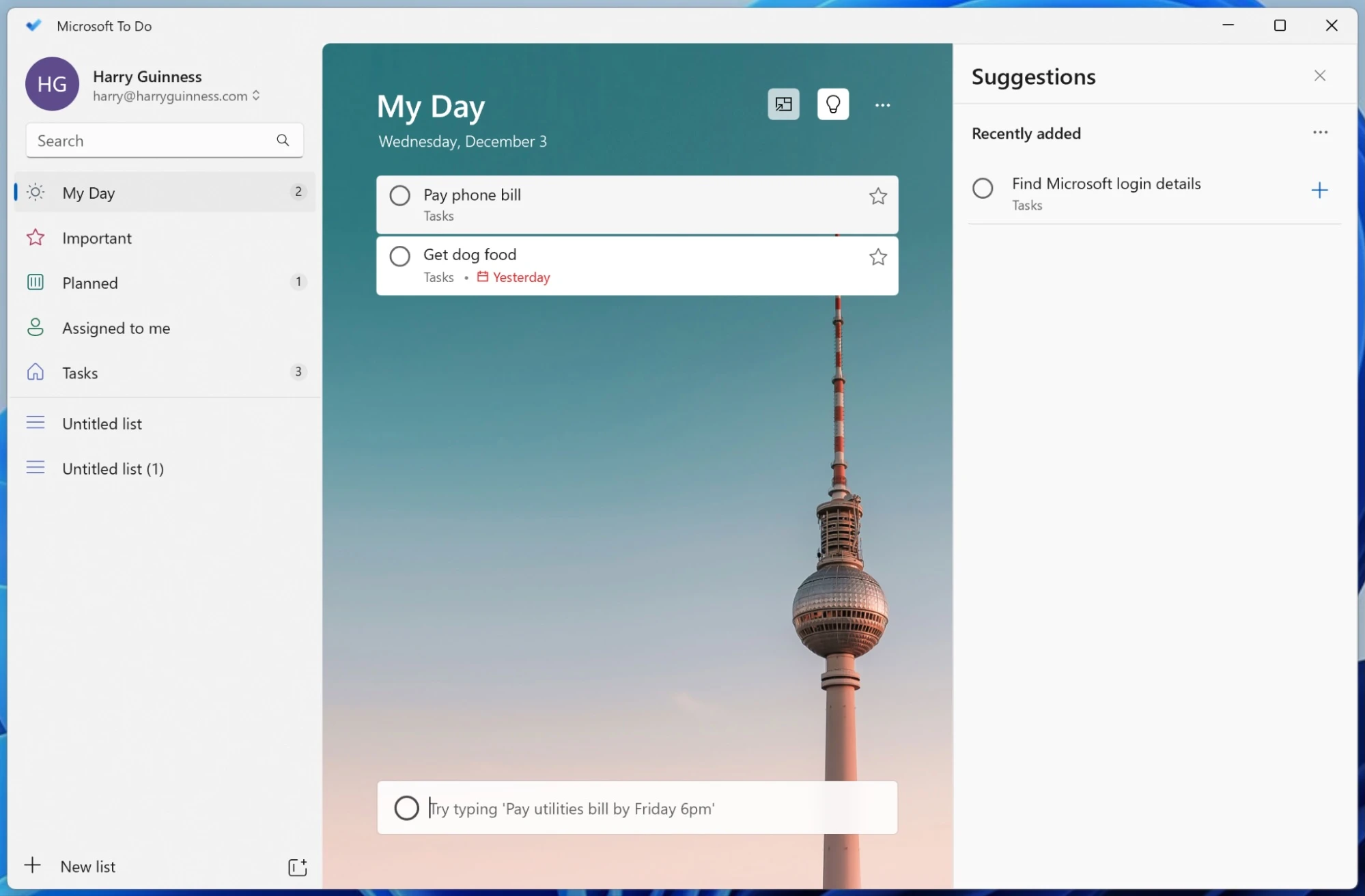
Microsoft To Do is at its best when you already live in Microsoft land. If your day involves Outlook, Microsoft accounts, and Windows devices, it tends to “just fit” without much setup.
It’s also one of the prettier free options, which matters more than we like to admit. You’re going to see your list a lot. It helps when it doesn’t look like a spreadsheet from 2009.
If you want practical tips for getting more out of it, here are some Microsoft To Do tips. And if you enjoy automations, Microsoft To Do integrates with Zapier with plenty of ways to automate Microsoft To Do.
Microsoft To Do price: Free.
Best to-do list app for Google-first workflows
Google Tasks (Web, Android, iPhone and iPad)
Google Tasks pros:
- Always close by if you live in Gmail and Google Calendar
- Dead simple to use
Google Tasks cons:
- Limited organization compared to more full-featured apps
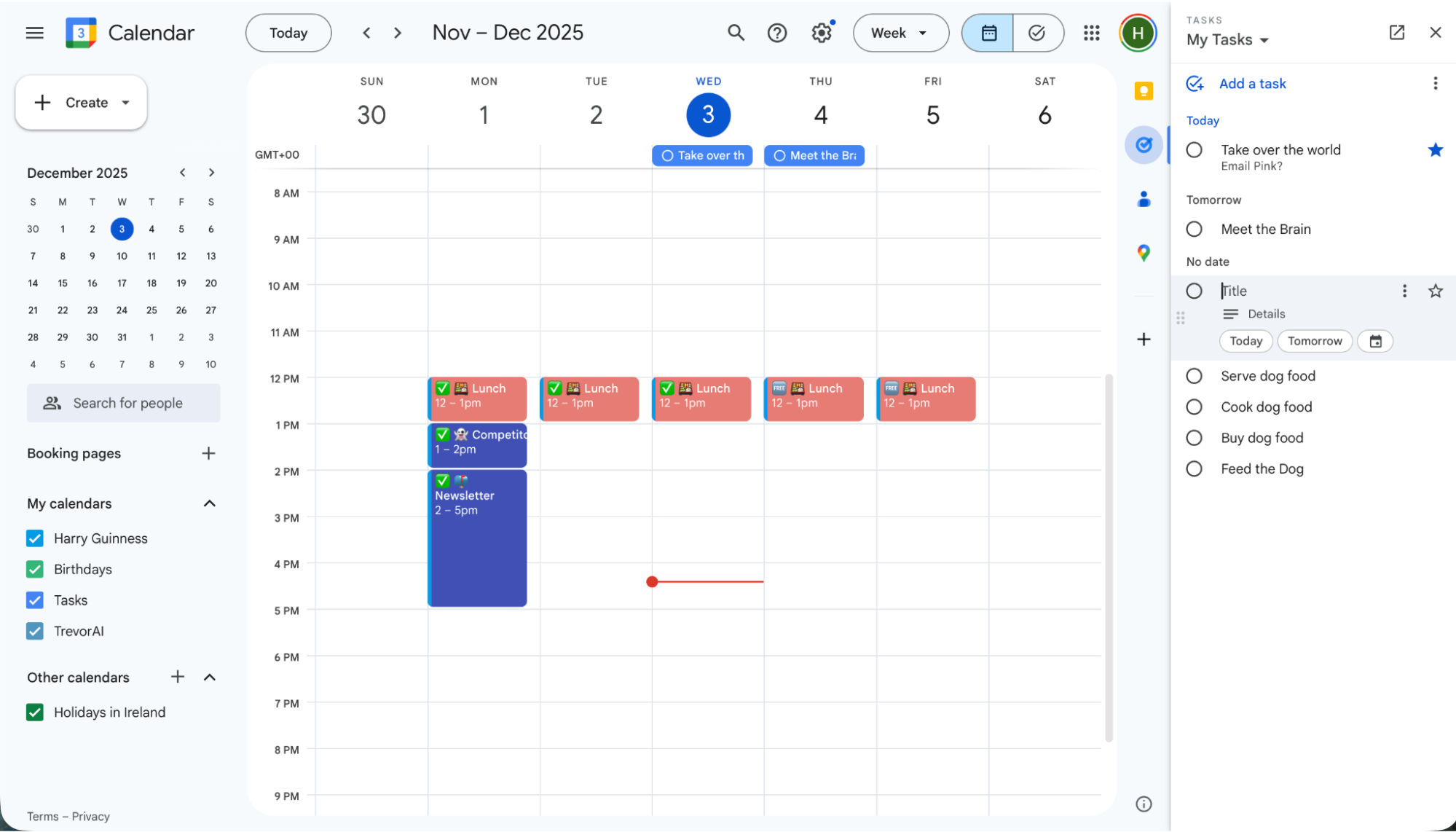
Google Tasks is the “I just need a list” option for people who already spend half their day in Gmail. It lives in the sidebar, which makes it very hard to forget it exists. That alone is a win.
You get the basics—lists, subtasks, due dates. If you want deep tagging, powerful filters, or fancy planning views, look elsewhere. But if you want something frictionless, it’s great.
Google Tasks also plays with AI in a way that’s sometimes useful, sometimes just funny. Here’s how it ties into Gemini if you’re curious.
And yes, if you want tasks to flow in from other tools, there’s Google Tasks’ integration on Zapier, plus a guide on how to automate Google Tasks.
Google Tasks price: Free.
Best to-do list app for people who need a daily nudge
Any.do (Web, Android, Windows, Mac, iPhone and iPad)
Any.do pros:
- Strong mobile experience
- Daily planning flow helps you actually use your list
Any.do cons:
- Desktop experience can feel cluttered compared to the mobile app
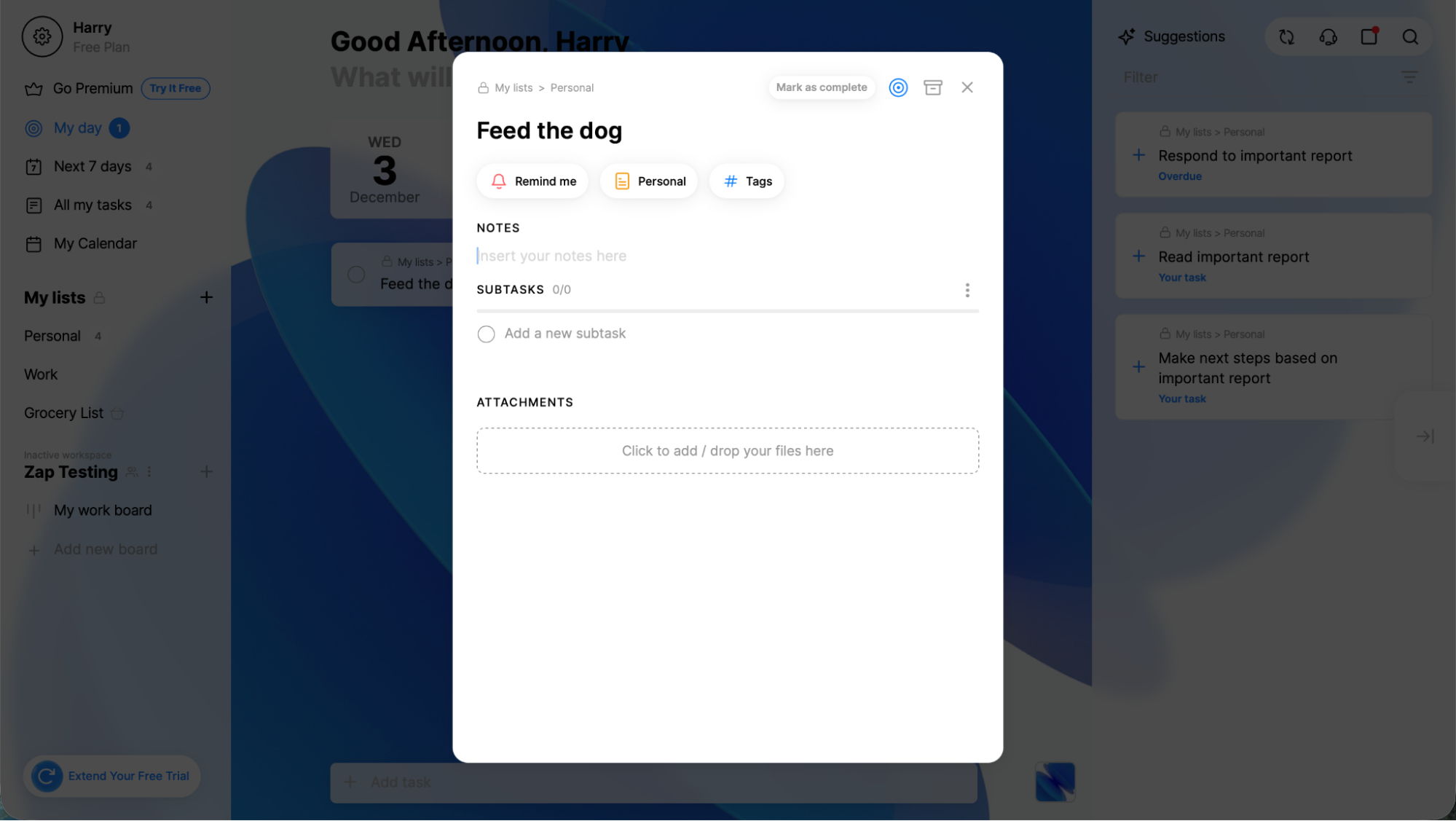
Any.do’s biggest strength is the habit of checking in. The daily planning routine pushes you to decide what you’ll do today, not just what you’ll someday do in the year 2047.
If you tend to write tasks and then abandon them (hello, my people), that “Plan my Day” moment can be the difference between a helpful list and a graveyard of good intentions.
If you want a more detailed breakdown, here’s a look at Any.do’s features. And if you want your tasks created automatically when something happens in your other tools, Any.do integrates with Zapier with more ideas on how to automate Any.do.
Any.do price: Free plan available; optional paid plans.
Best to-do list app for balancing power and simplicity
Todoist (Web, Windows, Mac, Android, iPhone, iPad)
Todoist pros:
- Available on nearly every platform
- Natural-language input makes quick capture easy
Todoist cons:
- Can feel a bit “webby” compared to fully native apps
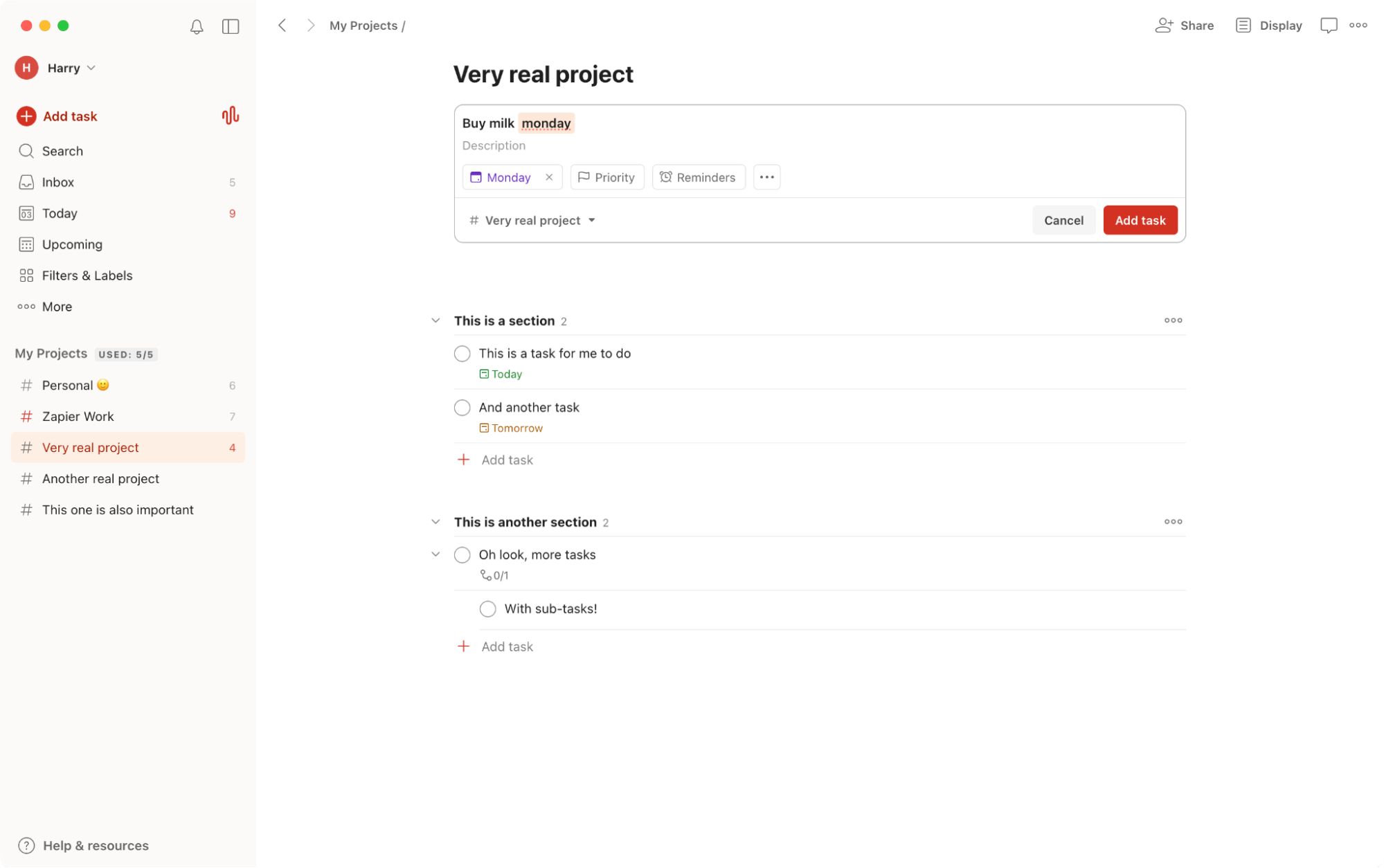
Todoist sits in a sweet spot: it’s not the simplest tool, and it’s not the most complex either. That’s the appeal. You can dump tasks into an inbox, sort them into projects, add labels, set due dates, and keep moving without building a whole productivity religion.
If your brain likes quick capture, it does a good job there. Type something like “send the report Friday” and it’ll usually understand what you mean.
If you want a deeper look at how it handles projects, labels, and day-to-day workflow, this overview of Todoist’s features is a solid starting point.
If you’re someone who loves connecting tools together, it also integrates with Zapier, which opens up a lot of automation options. Here are more ideas for automating Todoist if you want your tasks to appear “like magic” the moment something happens elsewhere.
Todoist price: Free plan available; optional paid plans.
The best to-do list app with elegant design
Things (Mac, iPhone, iPad)
Things pros:
- Beautiful, calm interface
- Powerful organization without feeling cluttered
Things cons:
- Expensive compared to most options
- No Windows or Android versions
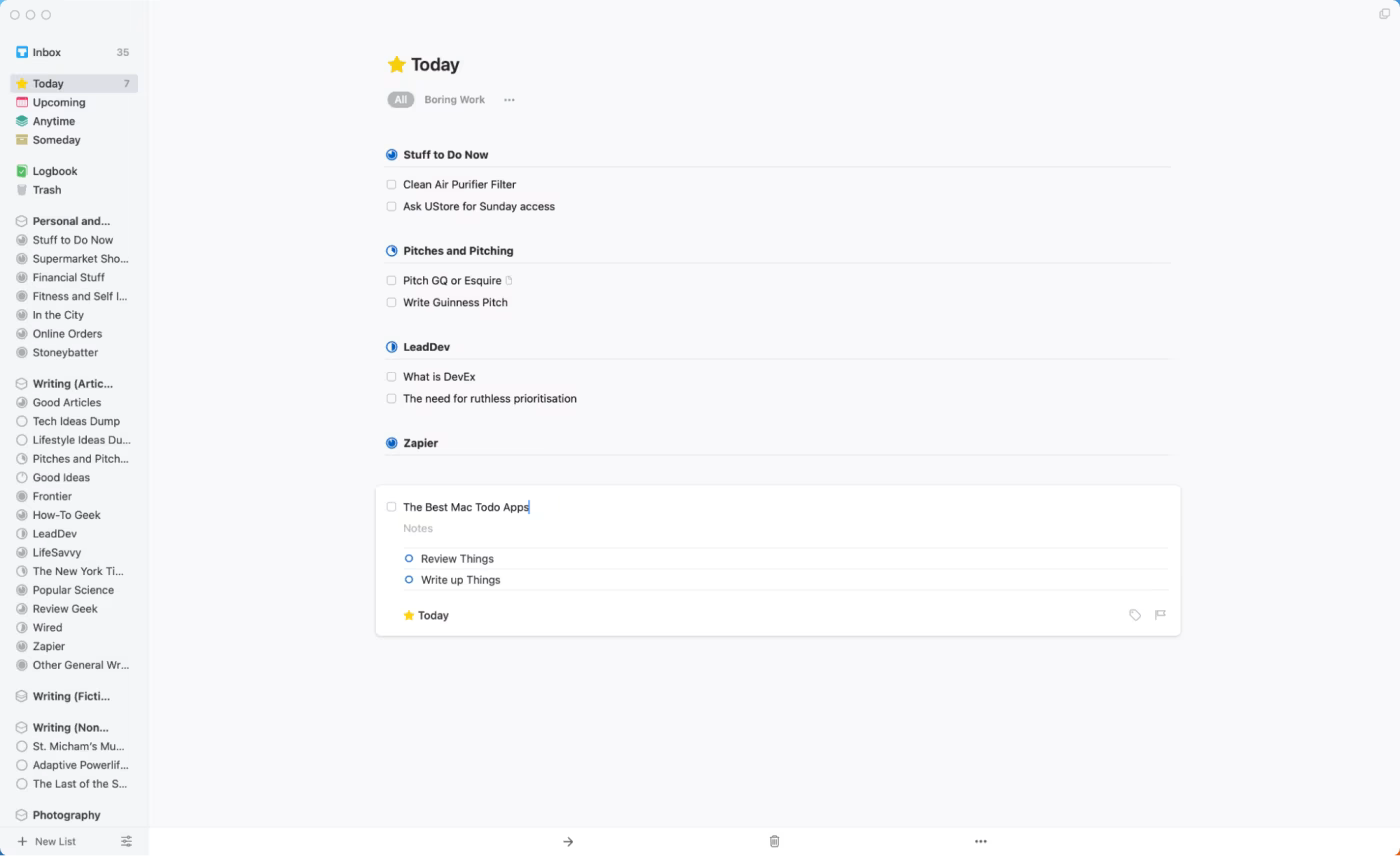
Things is what you recommend to someone who says: “I want planning to feel peaceful.” It’s polished, thoughtfully designed, and surprisingly flexible once you get into it—projects, areas, headings, subtasks, the whole deal.
The tradeoff is platform. If you’re all-in on Apple, it’s a joy. If you aren’t, it’s a non-starter.
If you like your tools connected, you can also look into Things’ integrations on Zapier and browse ideas to automate Things.
And if what you want is “more structure, more control, more knobs,” there’s always OmniFocus. It’s not for everyone, but for the right person, it’s a playground.
Things price: Paid (separate purchases per Apple device).
Other to-do list options
Dedicated to-do apps are great, but they’re not the only way to run your life. If none of the picks above feel right, these categories can work surprisingly well:
- Project management apps can be great for teams, especially if you’re already using one for work.
- Apple users can browse more niche picks in the lists of best Mac to-do apps and best iPhone to-do apps.
- Note-taking apps can handle tasks too if you prefer “notes + to-dos” in the same place.
- If you already live in databases, you can use Notion as a to-do list, and plenty of Notion alternatives work in a similar way.
- Time-blocking apps work well if your brain thinks in calendars. Some even combine a task list with your calendar.
- If your system is “simple and stubborn,” Google Sheets can be your to-do list. People also use Gmail as their to-do list (and honestly, it’s not the worst idea).
What’s the best to-do list app?
The best to-do list app is the one you’ll open tomorrow.
If you want a traditional, flexible task manager, start with Todoist. If you want timers and a calendar built into your task list, try TickTick. If you’re deep in an ecosystem, the built-in options (Microsoft To Do, Google Tasks) are often the easiest wins.
And if you’re tired of writing “work on my goals” as a task and calling it a day, CanGoal is worth a serious look—because it’s designed to make goals feel practical, not poetic.
Related reading: