CanGoal vs Market Leaders | Best To-Do List App? My Experience & Review [2025]
CanGoal vs The Competition: After spending a solid month juggling tasks between CanGoal and various premium alternatives, I wholeheartedly recommend CanGoal for most people. It offers a generous free version, works seamlessly across Web, Android, iOS, and more, and frankly, it just does more.
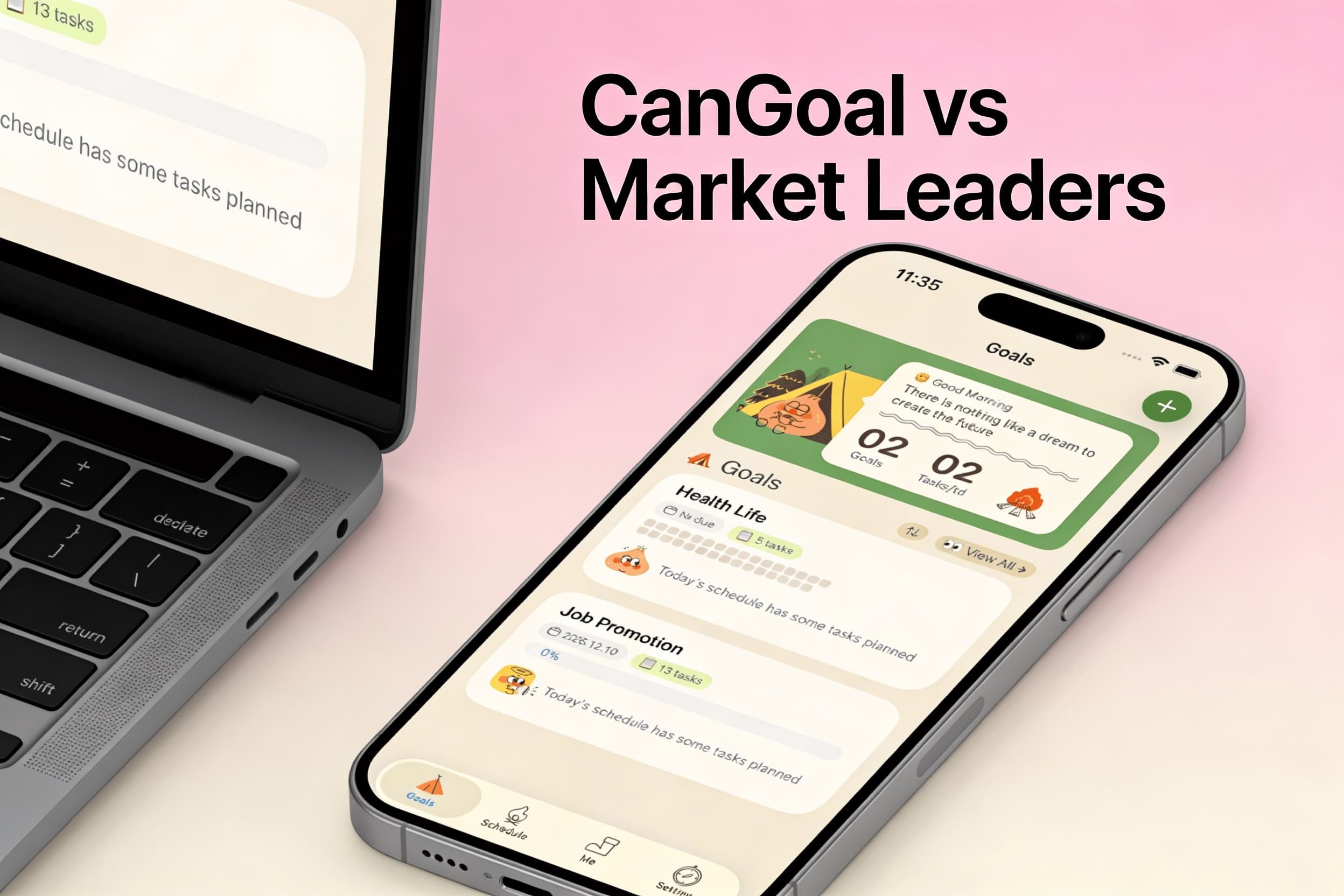
For those strictly locked into a single ecosystem, some niche paid apps might feel "calmer" or simpler. But be warned: you'll often pay a premium for that simplicity, and you might miss out on flexibility.
In a hurry? Read CanGoal vs Others: At a Glance ⬇️ for the nitty-gritty differences you shouldn't ignore.
CanGoal vs Others: At a Glance
| Feature | CanGoal | Typical Premium Planners |
|---|---|---|
| Platforms | Android, iOS, Mac, Windows, Web, etc | Often limited (e.g., iOS/macOS only) |
| Devices | All devices | Restricted ecosystem |
| Web App | Yes | Often No |
| Free Version | Yes | Often No |
| Paid Pricing | Competitive annual subscription | Expensive one-time or subscription costs |
| Pricing Model | Flexible Subscription | varied |
| Purchase Transferable | One account for all devices. | Often separate purchases for Phone, Tablet, Desktop. |
| Calendar Subscriptions | Can sync events from Google calendar, Apple calendar, etc. | Limited sync options. |
| Integrations | Works with Zapier, Alexa, Gmail, Outlook, Shortcuts, etc. | Often Limited. |
| E-mail To-Dos | Yes | Sometimes |
| Collaboration Features | Yes | Rarely |
| Location Based Reminders | Yes | Rarely |
| Complete To-Do early | Yes | Sometimes No |
Do you feel like your brain is a browser with 100 tabs open? Are you drowning in sticky notes and missed deadlines? You are definitely not alone.
In this guide, I compare CanGoal against the typical top-tier to-do list apps, helping you slice through the noise. My goal? To help you find the tool that lets you crush your goals without the stress.
You might also be interested in The distracted person’s guide to laser focus: 5 scientific hacks.
Take it from someone who has test-driven more productivity apps than I care to admit—a solid tool can completely shift your work-life balance from "chaotic" to "zen."
I use apps like CanGoal to:
- Offload my brain – capture ideas before they vanish.
- Centralize chaos – sync emails, calendars, and tasks in one hub.
- Stay on track – set priorities, reminders, and actually get things done.
With the right companion, you can wave goodbye to the overwhelm and say hello to a day that actually flows.
Let’s dive into the detailed comparison.
CanGoal
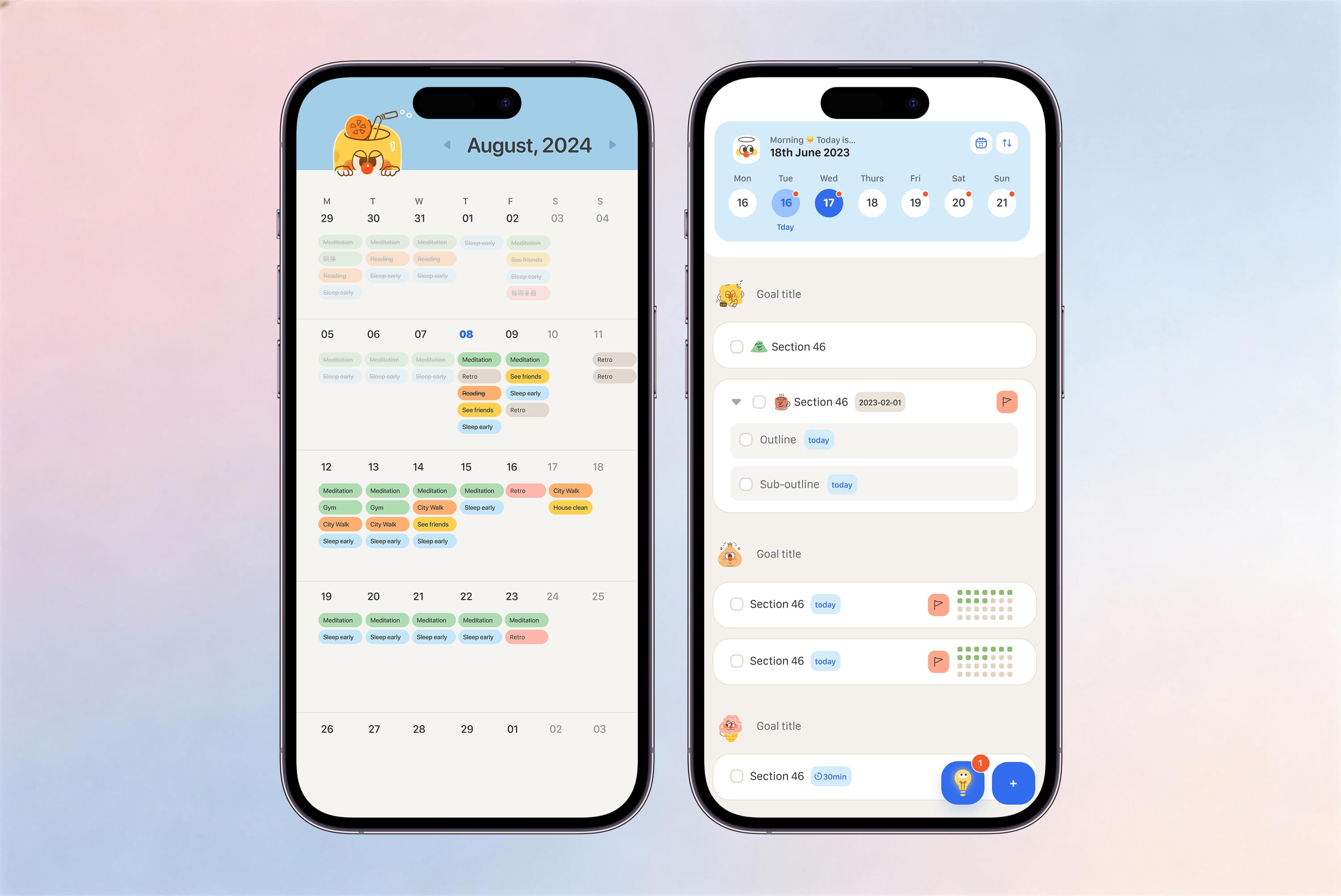
Are you hunting for a reliable, cross-platform powerhouse? CanGoal might just be your new best friend. It’s quickly becoming a favorite among productivity enthusiasts who need power without the complexity.
Key Features
Everywhere you are: CanGoal lives on the web, mobile, and desktop. Whether you're at your desk or in line for coffee, your list is right there.
Lists that make sense: Create multiple lists to compartmentalize your life—Work, Home, Side Projects, you name it. When you pair this with smart views like "Today" or "Next 7 Days," you never lose sight of what matters right now.
Smart Reminders: We all forget things. CanGoal doesn’t. Type a task with a time, and it automatically sets a reminder. It’s like having a personal assistant who actually pays attention.
Build better habits: Why use a separate app for habits? CanGoal lets you track recurring tasks and daily habits right alongside your to-dos.
Prioritize like a pro: Not all tasks are created equal. Flag your high-priority items so you tackle the big rocks first.
Tags and filters: Slice and dice your tasks with custom tags. Need to see everything tagged "Urgent" that is due "Today"? Done.
Context is everything: Add detailed notes, files, and attachments directly to tasks. No more digging through emails to find that one PDF.
Work together: Share lists with family or colleagues. Assign tasks and track progress together, because teamwork makes the dream work.
Get in the Zone: CanGoal includes built-in focus tools like a Pomodoro timer and white noise options to help you buckle down and focus.
Plays well with others: Integrate with your favorite tools to create a seamless workflow.
Calendar Harmony: Pull in your events from other calendars to see your day in one unified view.
Gamify your life: Earn achievement scores for completing tasks. It sounds silly, but watching that number go up is surprisingly motivating.
CanGoal Free vs Premium
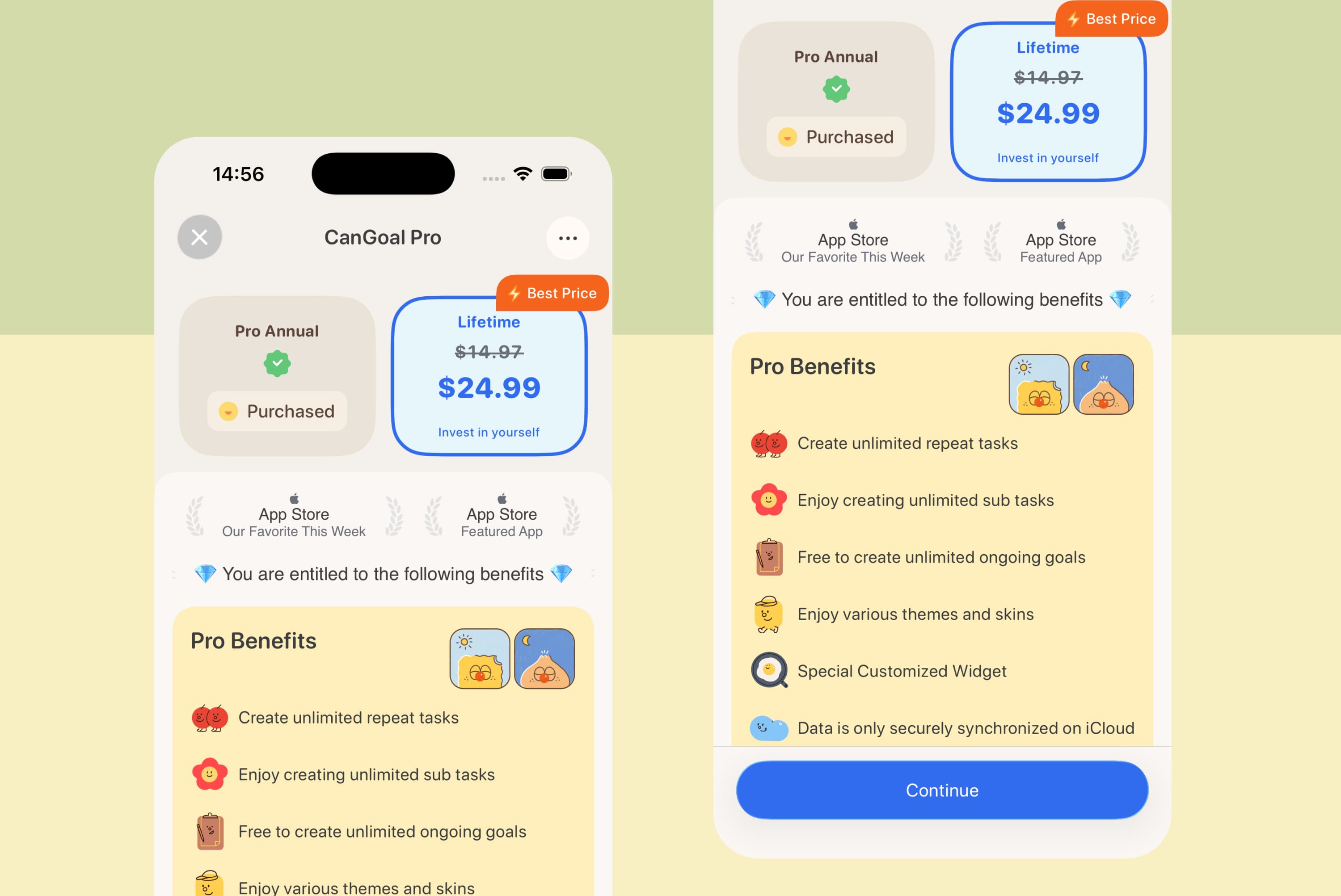
CanGoal Premium unlocks the next level of productivity:
- Advanced Filters
- Task duration tracking
- Historical statistics
- Subtask reminders
- More themes and widgets
- Calendar widgets
- Premium white noises
- Estimated task durations
- Higher limits on lists and tasks
CanGoal User Experience
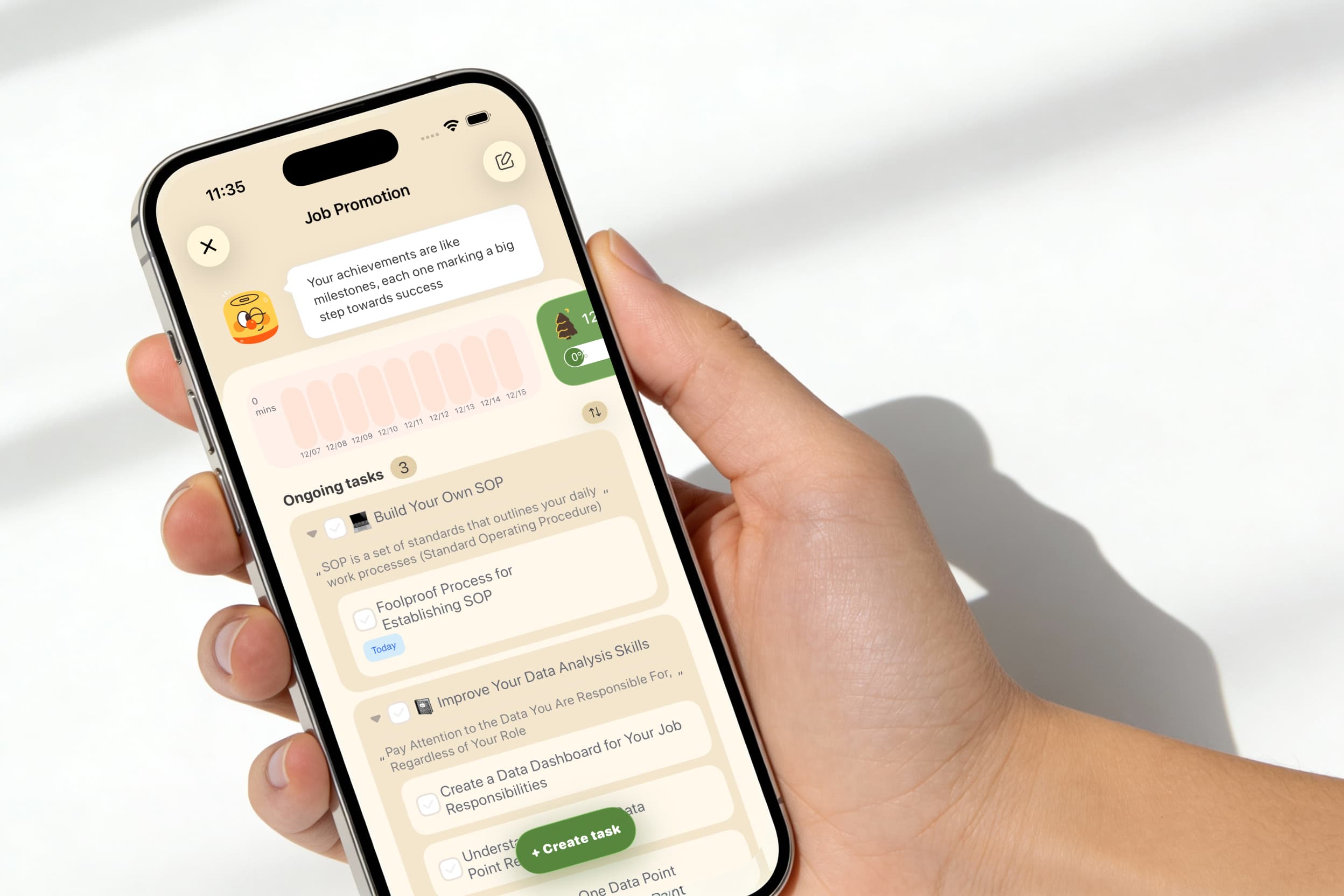
The mobile app is buttery smooth, and the web interface is clean and accessible from anywhere. It feels intuitive from the first tap, with a helpful tutorial to get you rolling.
CanGoal Screenshots
I’ve included some snapshots of the web app below. You can see how clean the layout is—no clutter, just focus.
What I Like/Dislike About CanGoal
Likes
- True Sync: My tasks are everywhere I am.
- Voice Input: Great for capturing thoughts on the go.
- Rich Tasks: Subtasks, notes, and attachments make tasks actionable.
- Email Integration: Turn emails into tasks instantly.
- Flexible Planning: Complete future tasks early if you’re on a roll.
- Organization: Folders and lists keep the chaos at bay.
- Sharing: effortless collaboration.
- Built-in Focus: The Pomodoro timer is a game-changer.
Dislikes
- Premium features: Some advanced power features require a subscription (though the free version is very generous).
- Duration settings: Setting exact start and end times is a premium perk.
Overall, CanGoal offers more utility out of the box than almost any other app I’ve tested. Whether you’re a student, a CEO, or just a busy parent, it adapts to you.
The "Other" Premium Apps
There are other apps out there—let's call them the "Purists." These apps are often praised for their beautiful, minimalist designs and strict adherence to specific productivity philosophies like GTD.
However, they often come with a catch: Exclusivity.
Key Features of the Alternatives
Ecosystem Lock-in: Many top-tier alternatives are strictly bound to one operating system (usually Apple's). They look gorgeous on an iPhone or Mac, but if you have a Windows PC at work? You're out of luck.
Visual Polish: These apps often win points for aesthetics. They use white space and animations beautifully. (Though, to be fair, CanGoal has caught up significantly in the design department).
Strict Structure: They heavily emphasize "Areas" and "Projects." While helpful, this can sometimes feel rigid if you just want to jot down a quick grocery list.
The "Magic" Button: Some competitors have clever gesture-based buttons for adding tasks. It’s a nice touch, but is it worth the price of entry?
No Web Access: A surprising number of these "premium" apps lack a web version. If you forget your phone, you can't access your list.
The User Experience
The "Purist" apps feel calm. They are designed to reduce anxiety by hiding functionality until you need it. They are fantastic if you fit perfectly into their specific box—using only one brand of devices and following one specific productivity method.
But life is rarely that neat.
What I Like/Dislike About The Alternatives
Likes
- Aesthetics: They are undeniably pretty.
- Native Feel: They feel like part of the OS.
- One-time payment: Some people prefer paying once (even if it's a high price) over a subscription.
- Simplicity: Less clutter can mean less distraction.
Dislikes
- Platform Walls: No Windows, no Android, no Web.
- Cost: You often have to buy the app separately for every device. $10 for the phone, $50 for the desktop, $20 for the tablet... it adds up fast.
- Rigidity: You can't always mark a future task as done early. The app dictates how you work, not the other way around.
- Solo only: Rarely any collaboration features. Good luck sharing a grocery list with your partner.
Which is Better?
I recommend CanGoal overall. It breaks down the walls between devices and offers a robust free version that lets you get started immediately. It adapts to your workflow, whether you follow GTD or just want a simple checklist.
The "Purist" alternatives make sense only if you live 100% inside one ecosystem and prioritize aesthetic minimalism over flexibility and collaboration.
Simply put: If you want a tool that works everywhere, offers powerful focus features, and lets you collaborate, choose CanGoal. If you want a digital ornament that works beautifully on just your iPhone, the alternatives might suffice.
Your Choice
So there you have it! I’ve laid out the honest pros and cons. CanGoal brings the power and freedom, while the niche alternatives bring specific design philosophies at a higher cost.
Which path will you take to a more organized life?
Happy organizing and thanks for reading! 🙂
FAQs
Do I have to buy CanGoal for every device?
No! One CanGoal account works across all your devices. Unlike some competitors that charge you separately for Mac, iPad, and iPhone versions, CanGoal syncs seamlessly everywhere with one login.
Is CanGoal data secure?
Absolutely. CanGoal encrypts user data and maintains strict privacy policies. Your data is yours. We use secure cloud syncing (similar to SSL encryption used by banks) to ensure your tasks travel safely between devices.
Why choose a subscription model?
Continuous development requires continuous support. A subscription ensures that CanGoal is constantly updated with new features, security patches, and server maintenance, unlike "abandonware" that you pay for once and never sees an update.
Does CanGoal support GTD (Getting Things Done)?
Yes! CanGoal is flexible enough to fully implement the GTD method. You can use Folders for "Projects," Lists for "Contexts," and the Inbox for "Capture."
What if I need to focus?
CanGoal isn't just a list; it's a do-ing app. Use the built-in Pomo Timer to work in focused bursts, or turn on White Noise to drown out distractions. Most other list apps force you to download a separate timer app—we built it right in.